Scribe Author Portal
Margin.
Know what readers think, while you can still change the book.
Send your book to early readers with one link. Every note lands on the exact line it's about.
Readers have always written what they really think in the margin. Now it comes to you, line by line, before the book goes to print.
Get the highlights.
One link
Opens on any phone.
Nothing to install.
No app, no account, no password. Each reader taps their own private link and starts reading.
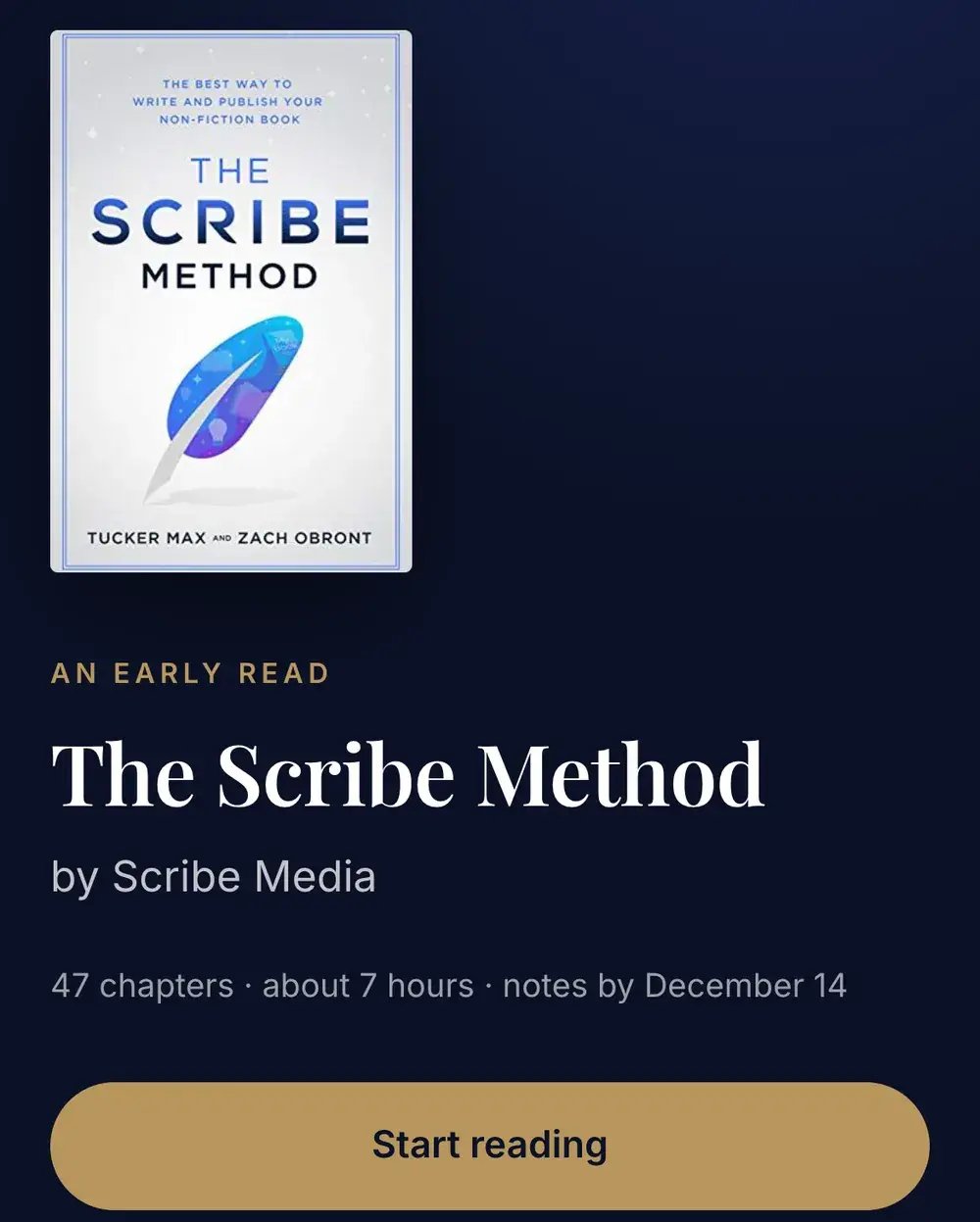
Notes
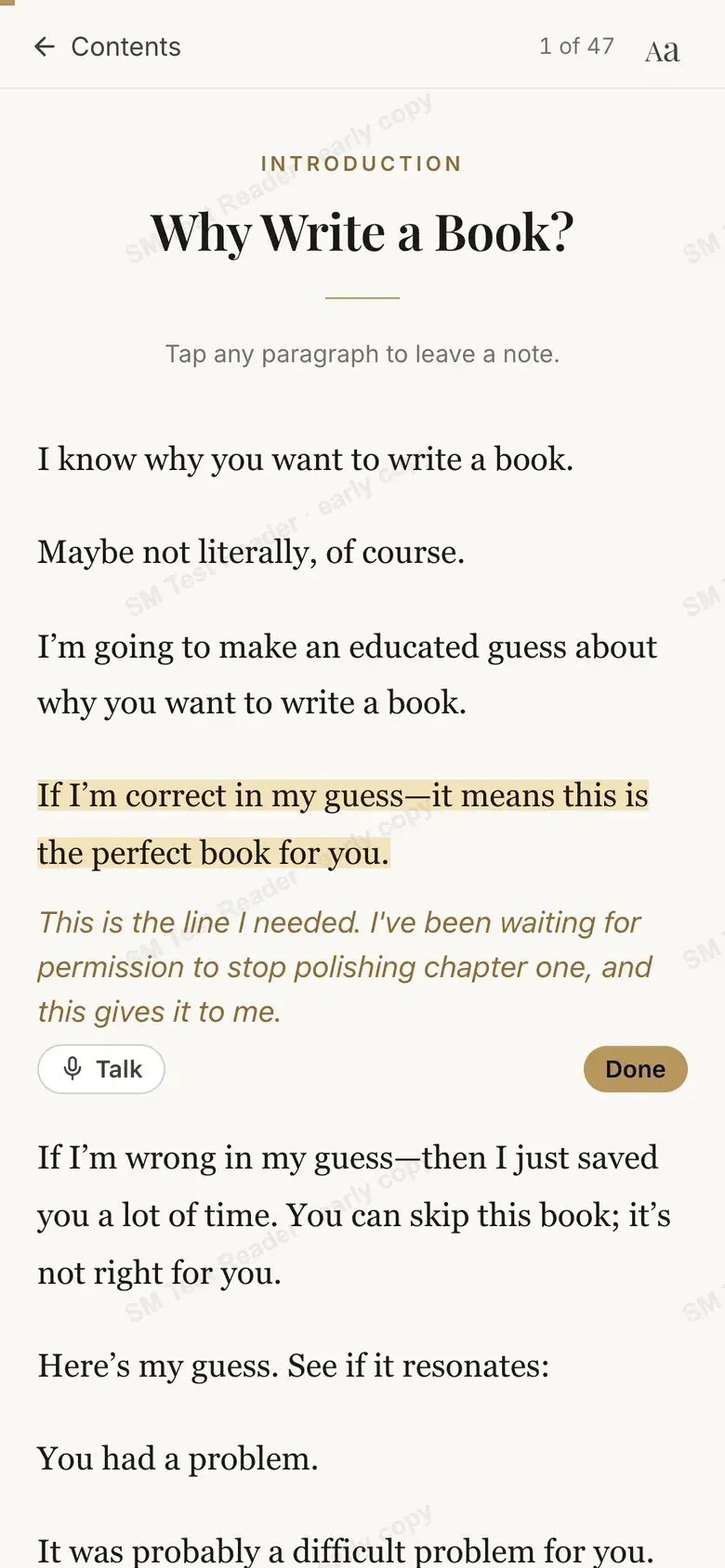
Tap a paragraph. Say what you think.
The note sits on that exact line. Room for 4,000 characters, so nobody gets cut off mid-thought.
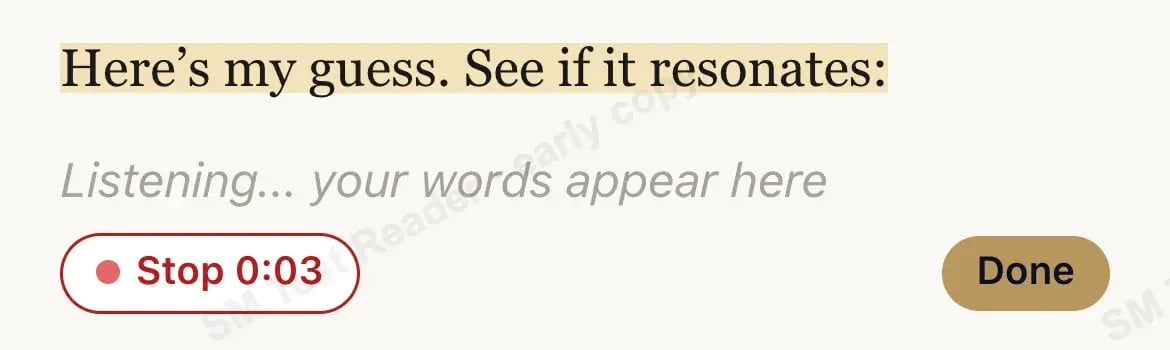
Voice notes
Or just say it.
Readers tap Talk and speak. On phones that support it, the words appear as they go, and you hear their voice with the note.
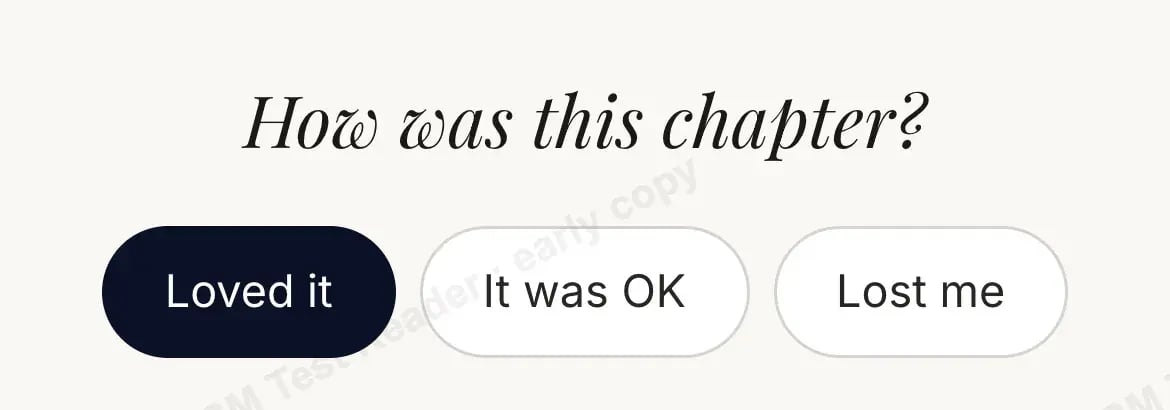
Chapter reactions
Loved it. It was OK. Lost me.
One tap at the end of every chapter tells you how it landed, and where it stopped landing.
Reading
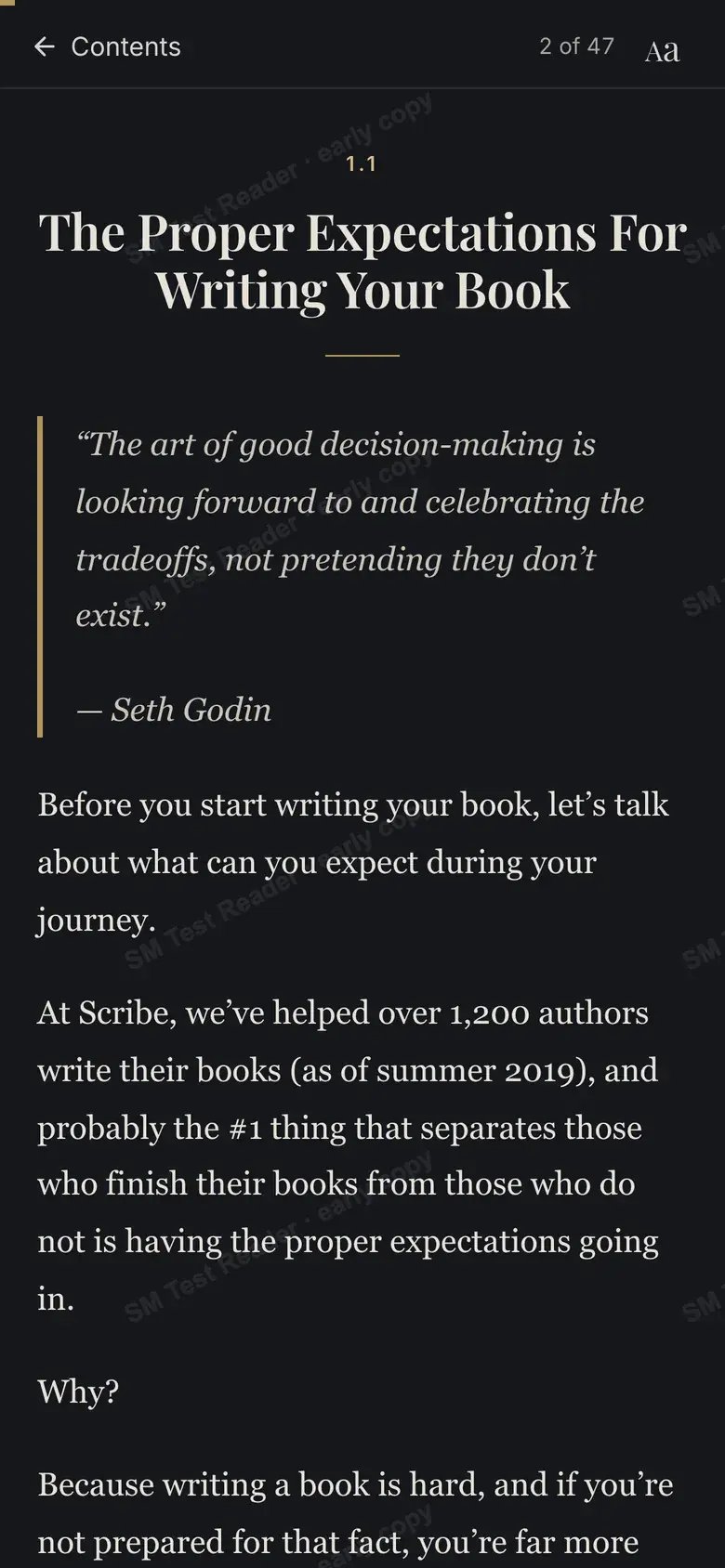
Day or night.
Text sizes and night reading, like the e-reader they already love.
Reliability
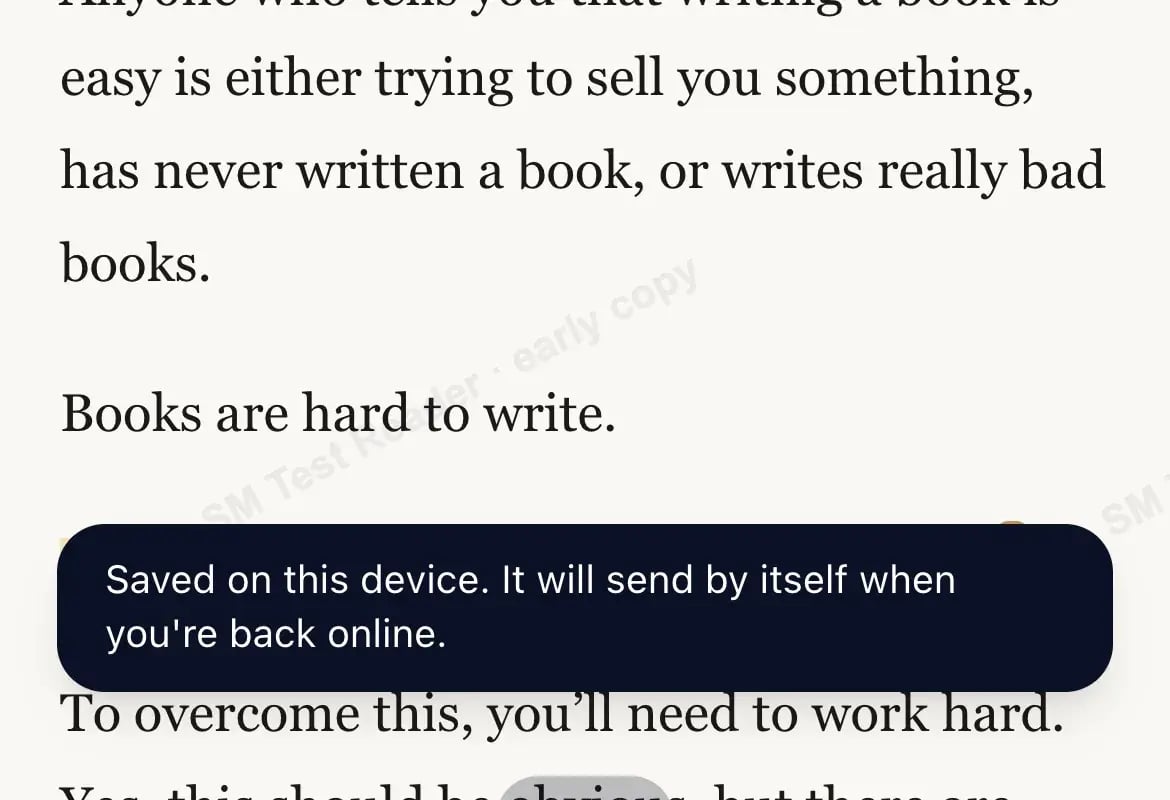
Never loses a word.
Notes save on the phone first and send themselves when the signal comes back. Planes, dead zones, closed tabs.
Anywhere
Same line.
Any device.
Close it on a phone, open it on a laptop. They pick up exactly where they left off. Prefer Kindle or Apple Books? One tap emails them the ebook.
Security
Security, built in.
Every copy is traceable to its reader. Each reader's name sits faintly across every screen of their copy, so a screenshot shows whose copy it came from, and copied text says the same.
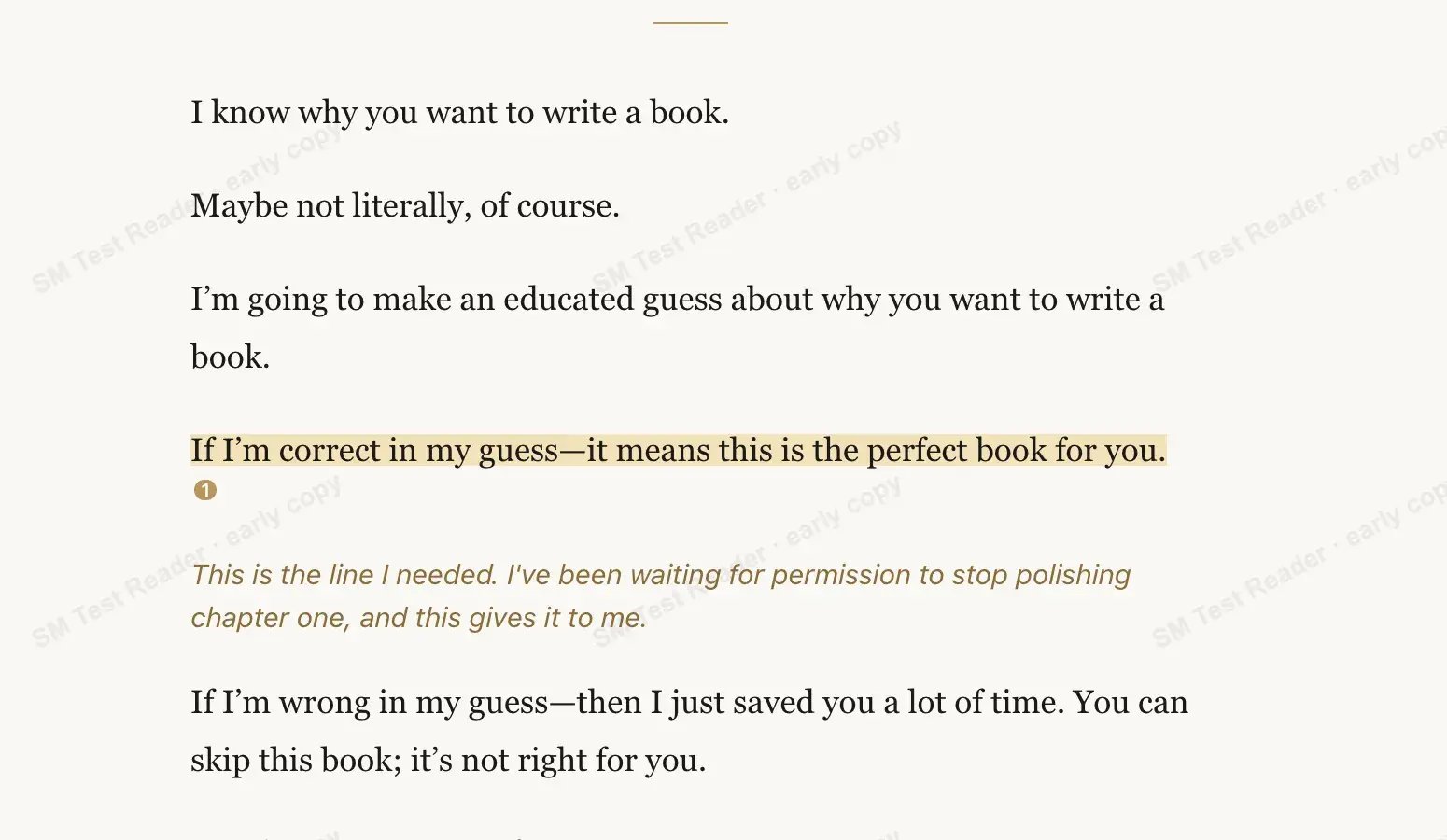
Shown with a Scribe test reader. Every real copy carries that reader's own name.
A key for every reader.
Each reader gets their own link. Turn one off, and no one else notices.
Named downloads.
The PDF and EPUB copies carry the reader's name too. A forwarded file is still theirs.
Private by design.
Notes go to you and no one else. Readers never see each other's, so no one sways the rest.
For the author
Every note, already sorted.
Everything readers tell you lands in your Author Portal, chapter by chapter, next to the rest of your book.
The editor's brief
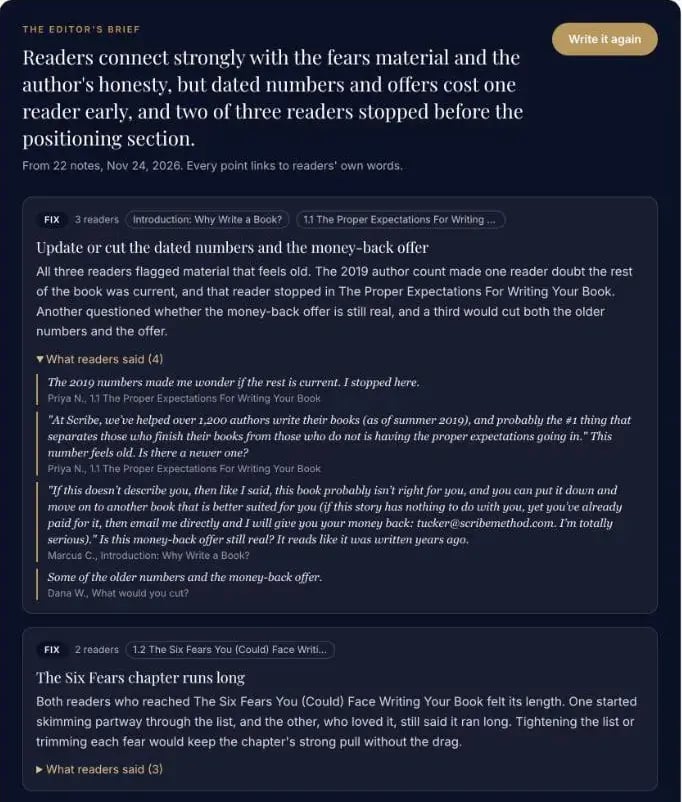
Every note, turned into what to fix first.
What to fix, what to consider, and what's working. Each point shows the readers' own words underneath, so you can check it yourself.
Drop-off
See where readers stop.
A bar for every chapter shows how many readers got there and how long they spent. Where the bar drops is where to look first.
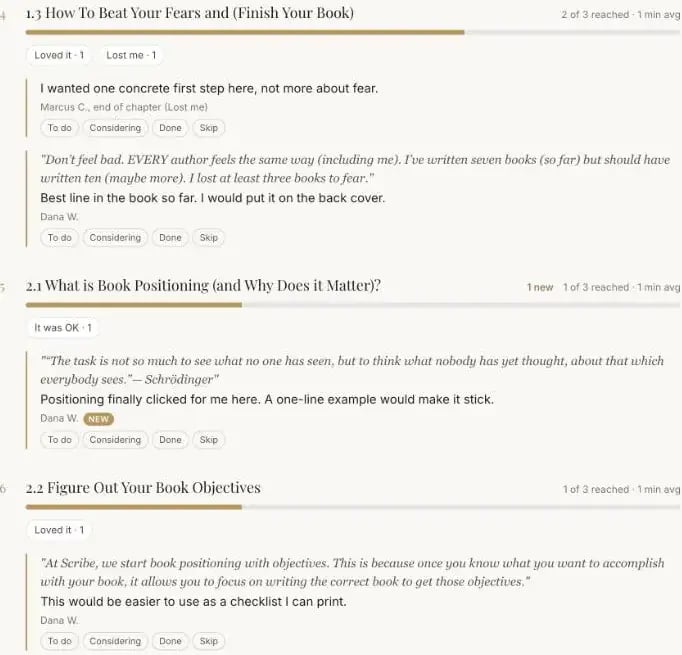
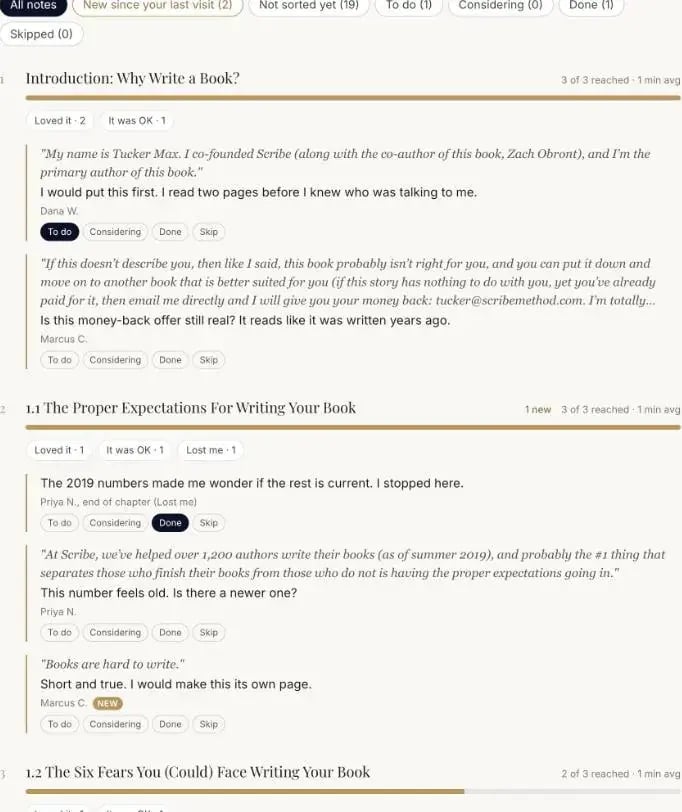
Your work list
A work list, not a pile.
Every note sits under its chapter, next to the line it's about. Sort each one into To do, Considering or Done, see what's new since your last visit, and export a spreadsheet for your editor.
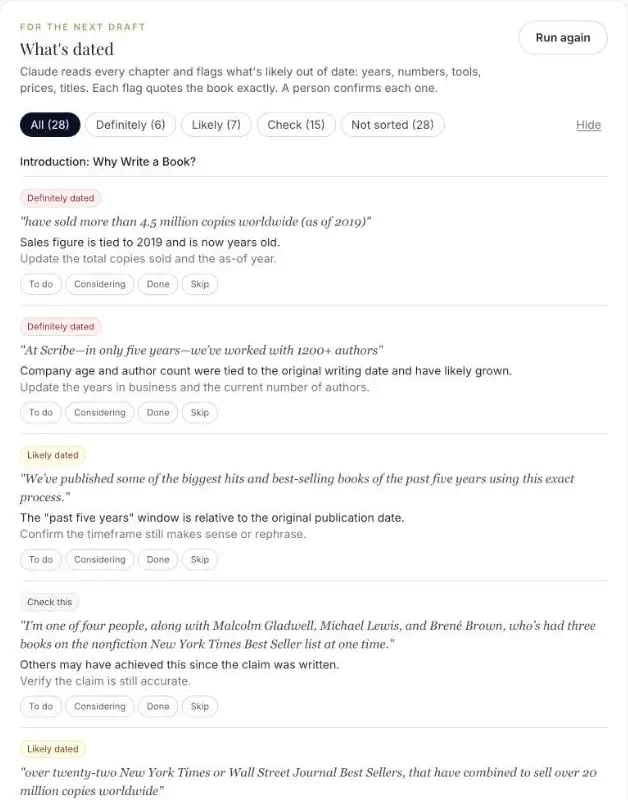
For the next edition
What's dated.
Updating a book? Every chapter is checked for years, numbers, tools and prices that may have aged. Each flag quotes the book, and a person confirms it.
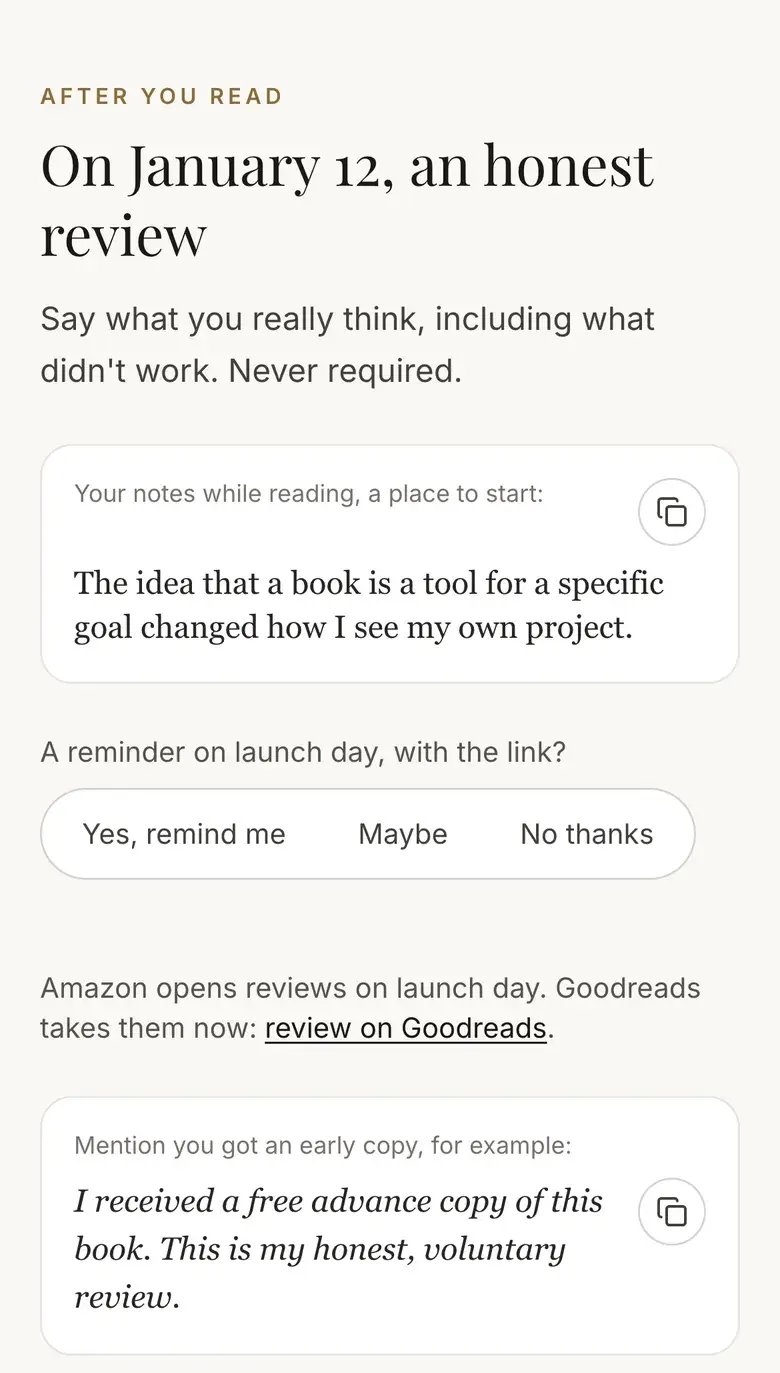
Advance readers
Reviews that count on launch day.
- One reminder, on launch day.With the link to the review, when reviews can actually be posted.
- The disclosure, ready to copy.The line reviewers are expected to include about their free copy.
- Friends go to Goodreads.Readers who know you personally are pointed where their review is welcome.
- Their own notes, waiting.What they wrote while reading, as a place to start. Reviews are never required.
Finding readers
Bring the readers you already have.
Import from LinkedIn, Google or your iPhone contacts, or share a sign-up page for your book. Nobody gets a copy until you say yes.
Accessibility
Built for every reader.
The reading pages meet WCAG AA contrast and pass automated accessibility checks, day and night.
The usual way, and Margin.
| Feature | PDF by email | Shared Google Doc | Margin |
|---|---|---|---|
| Notes on the exact line | No | Yes | Yes |
| Leave notes with no account or app | No | No | Yes |
| Readers can't see each other's notes | Yes | No | Yes |
| See where each reader stopped | No | No | Yes |
| Each copy carries the reader's name | No | No | Yes |
| Every note turned into a fix list | No | No | Yes |
| A launch-day reminder to review | No | No | Yes |
In the Scribe Author Portal
Margin.
Real readers, before launch. For every book written with Scribe, right next to your manuscript and your launch plan.
Already a Scribe author? Ask your project manager to switch Margin on for your book; it appears as Early Readers in your portal menu. Screens show The Scribe Method with Scribe test readers, and the reader names in them are test accounts.